SMS Consent — Opt-In Evidence
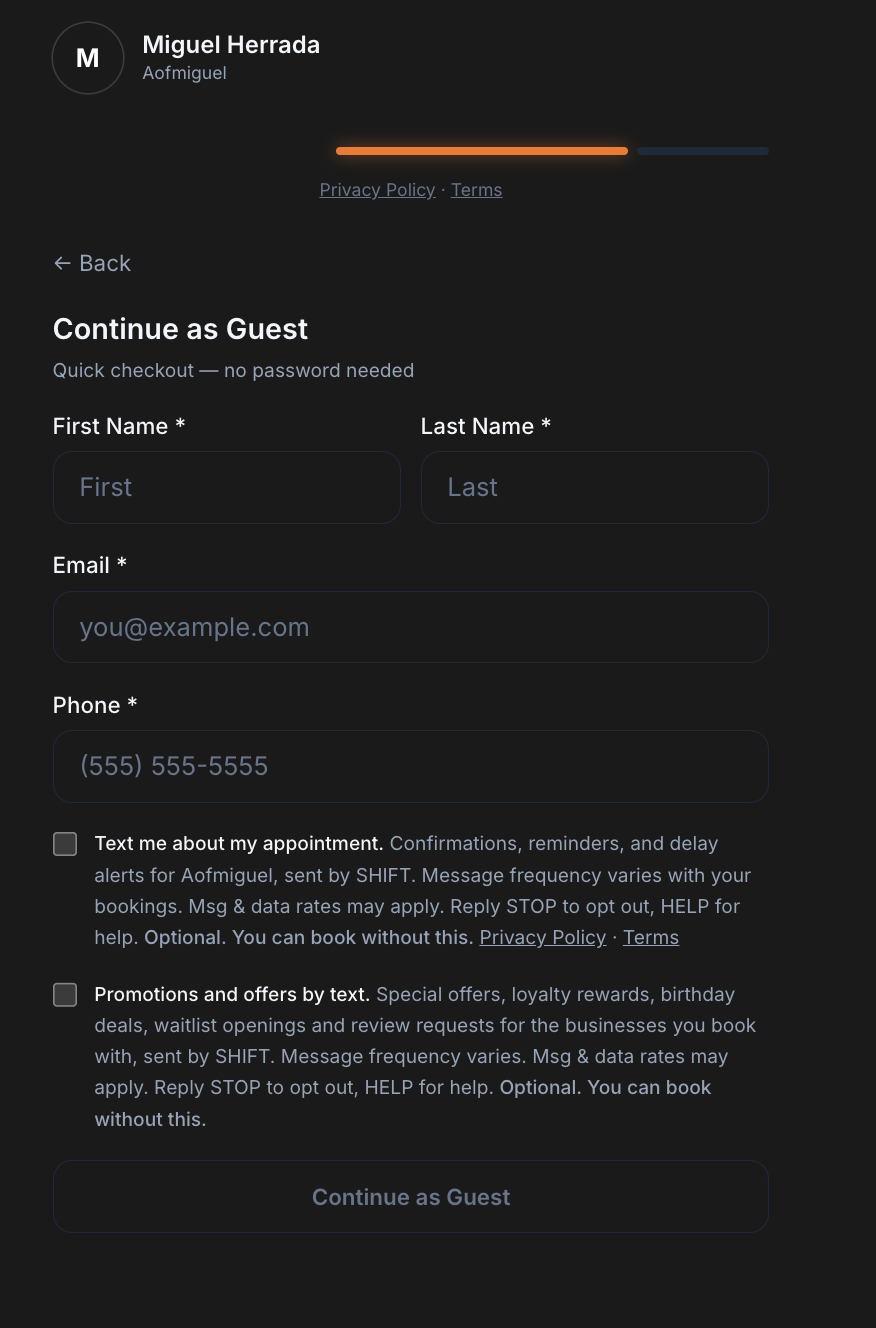
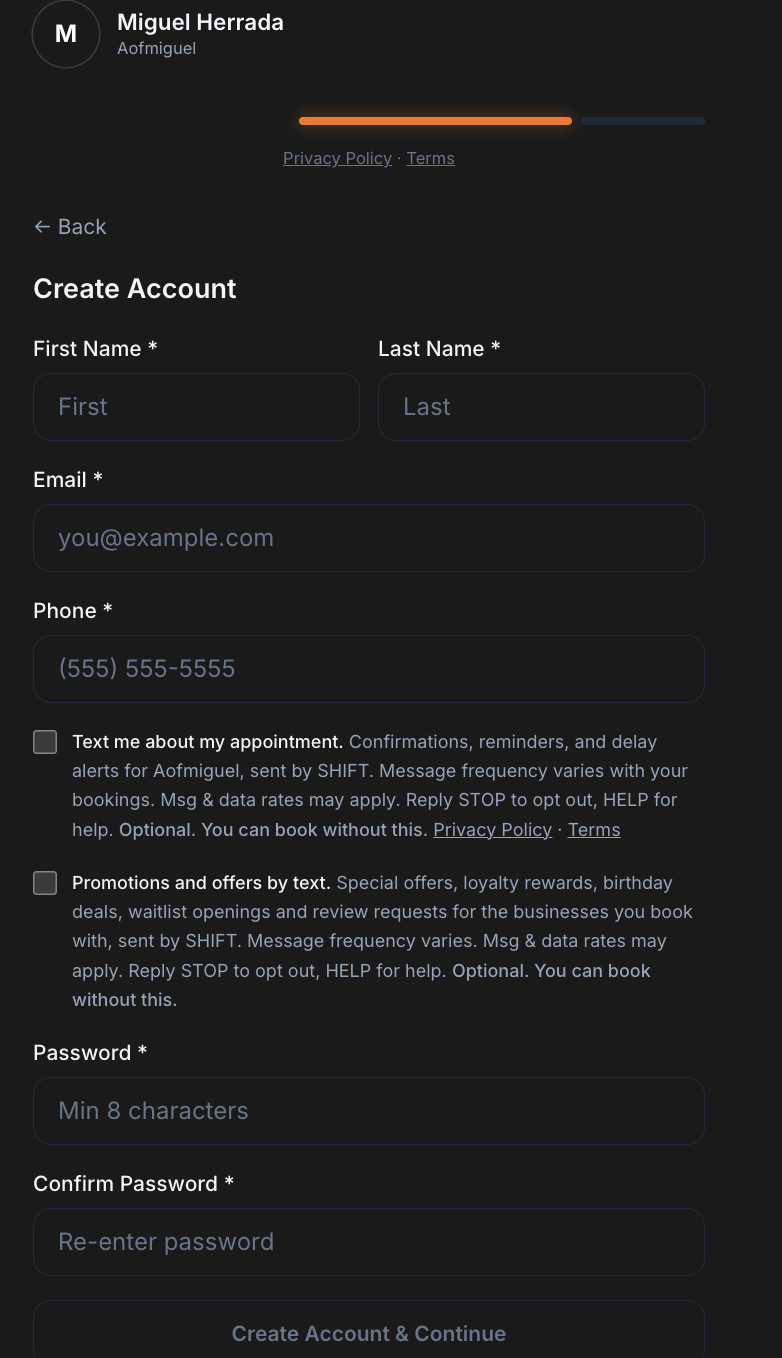
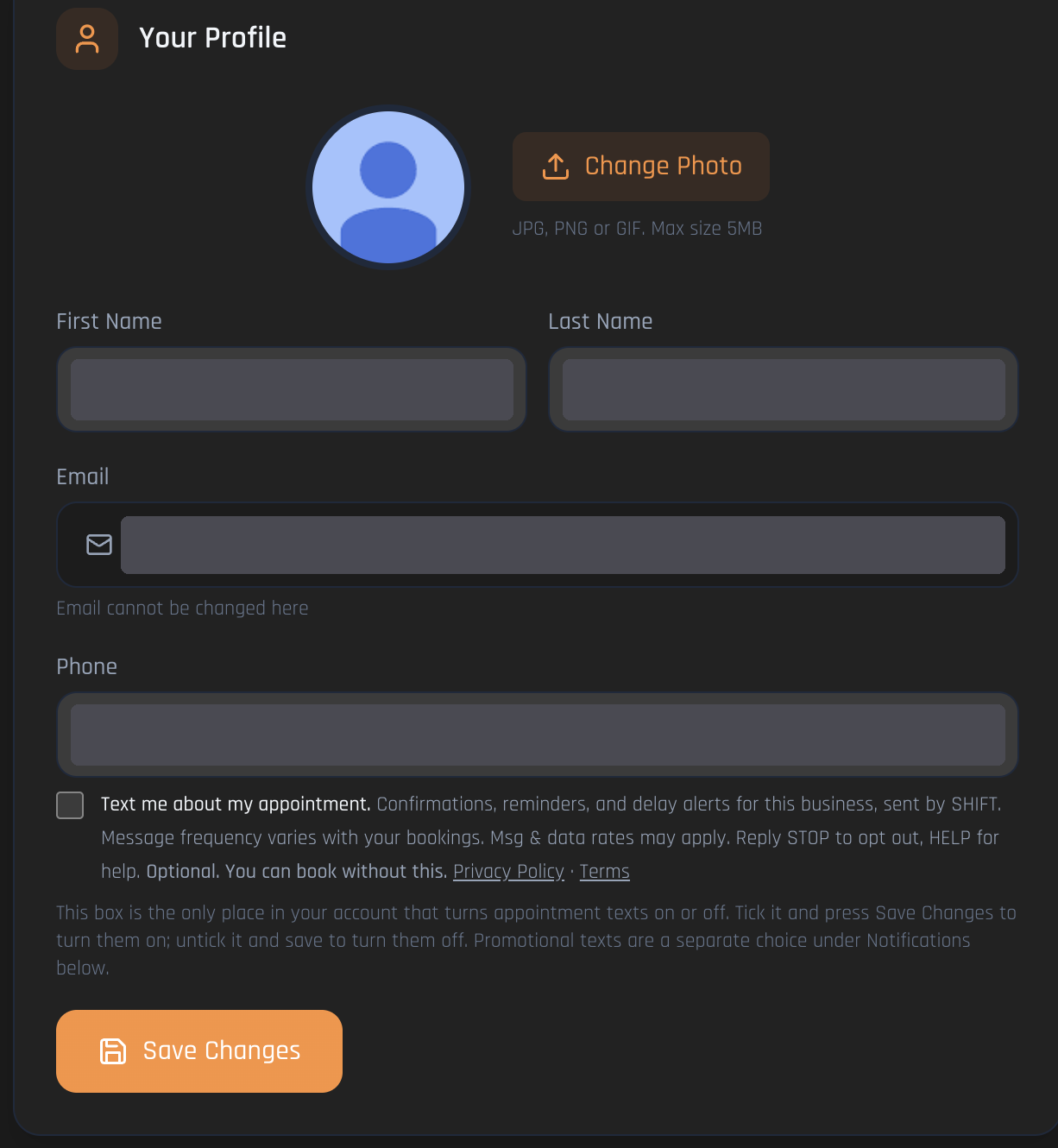
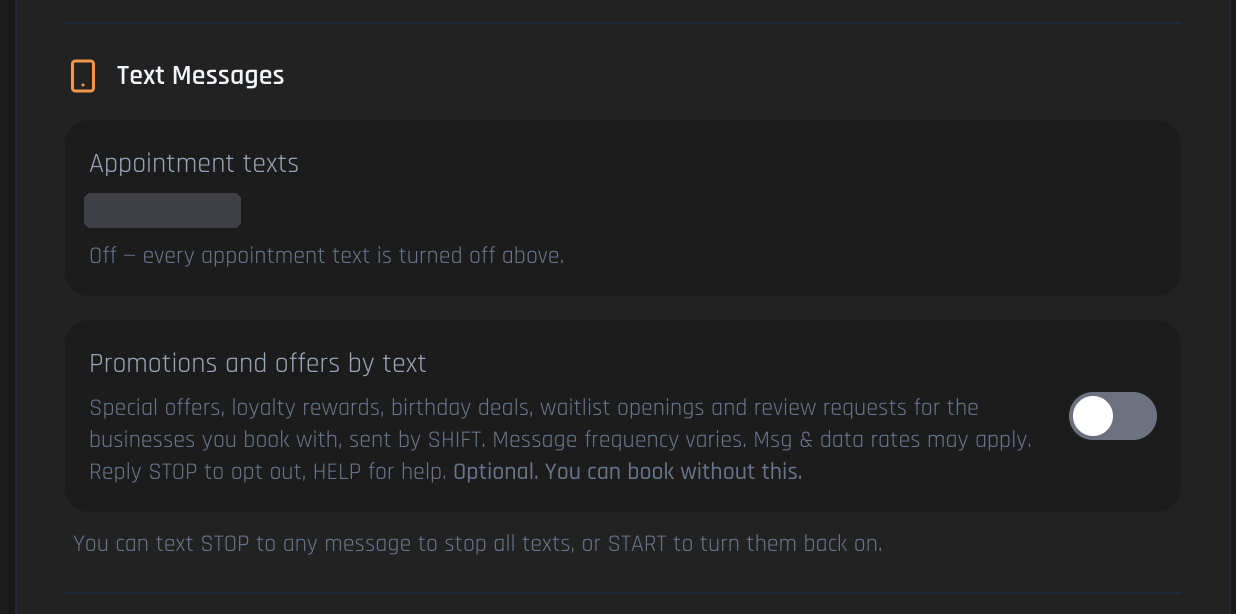
SHIFT PSM LLC is the sender of these text messages. SHIFT writes every message from fixed templates and signs each one "- SHIFT". Businesses listed on SHIFT cannot write, edit or send them, and do not collect consent. SHIFT collects consent itself on its own booking pages at app.goingshift.com. Every consent control is a checkbox that is unchecked by default. Consent is never required to book an appointment, create an account or use SHIFT, and is never bundled with the Terms or Privacy Policy. Appointment texts and promotional texts are two separate opt-ins, each with its own checkbox. SHIFT's toll-free number (888) 457-3413 sends appointment texts only.
Last updated: October 2, 2026
1. Booking — guest checkout
Public: https://app.goingshift.com/book/aofmiguel/miguel-herrada
2. Account creation
Public: https://app.goingshift.com/create-account
3. Client account settings — appointment messaging consent
Requires sign-in.
4. Client account settings — messaging preferences
Requires sign-in.
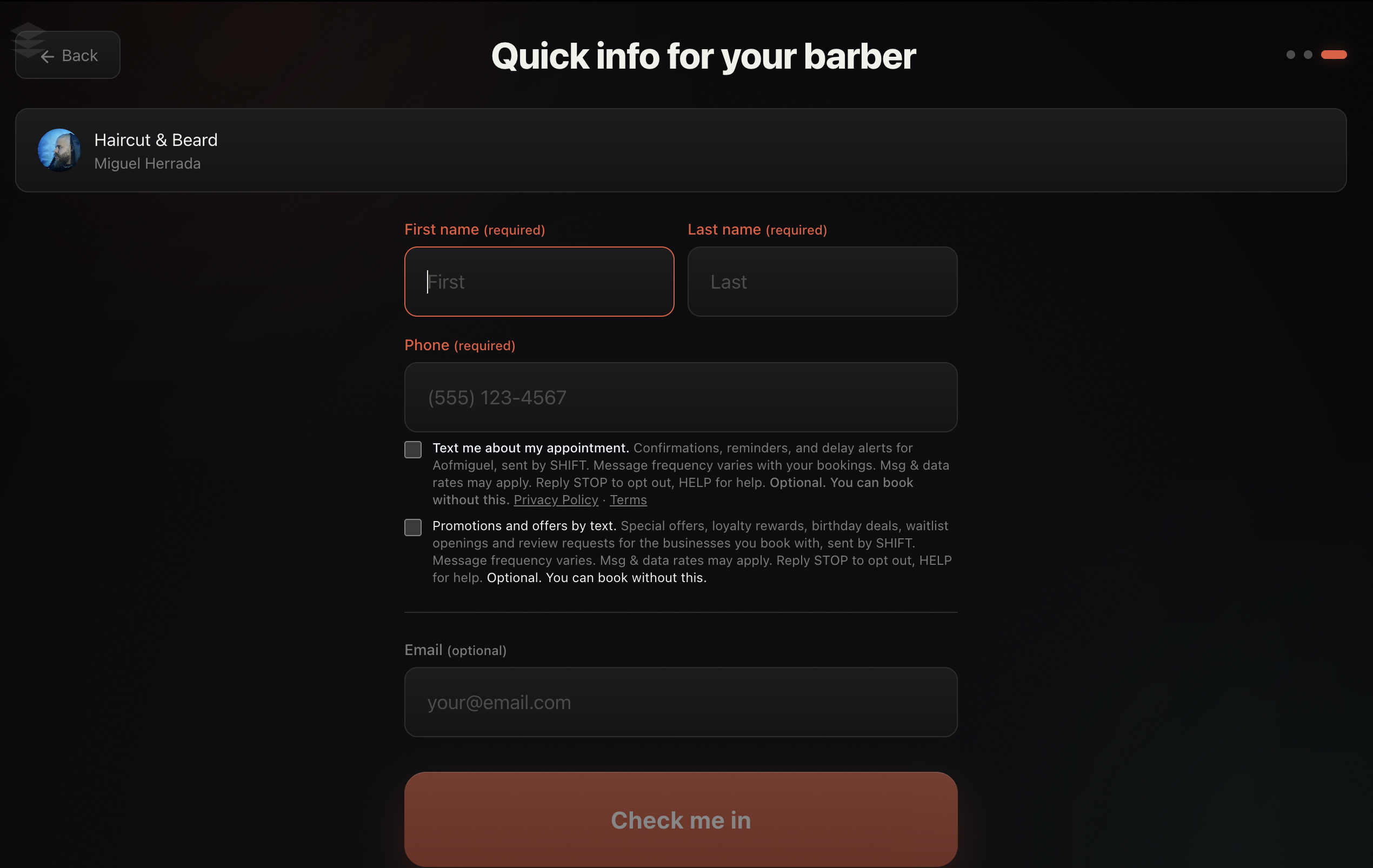
5. Kiosk check-in
Public: https://app.goingshift.com/kiosk/aofmiguel
Privacy Policy: https://app.goingshift.com/privacy and Terms: https://app.goingshift.com/terms