Exactly what SHIFT does

Every feature in plain English, and which plan has it.

Just you, or do you have barbers?

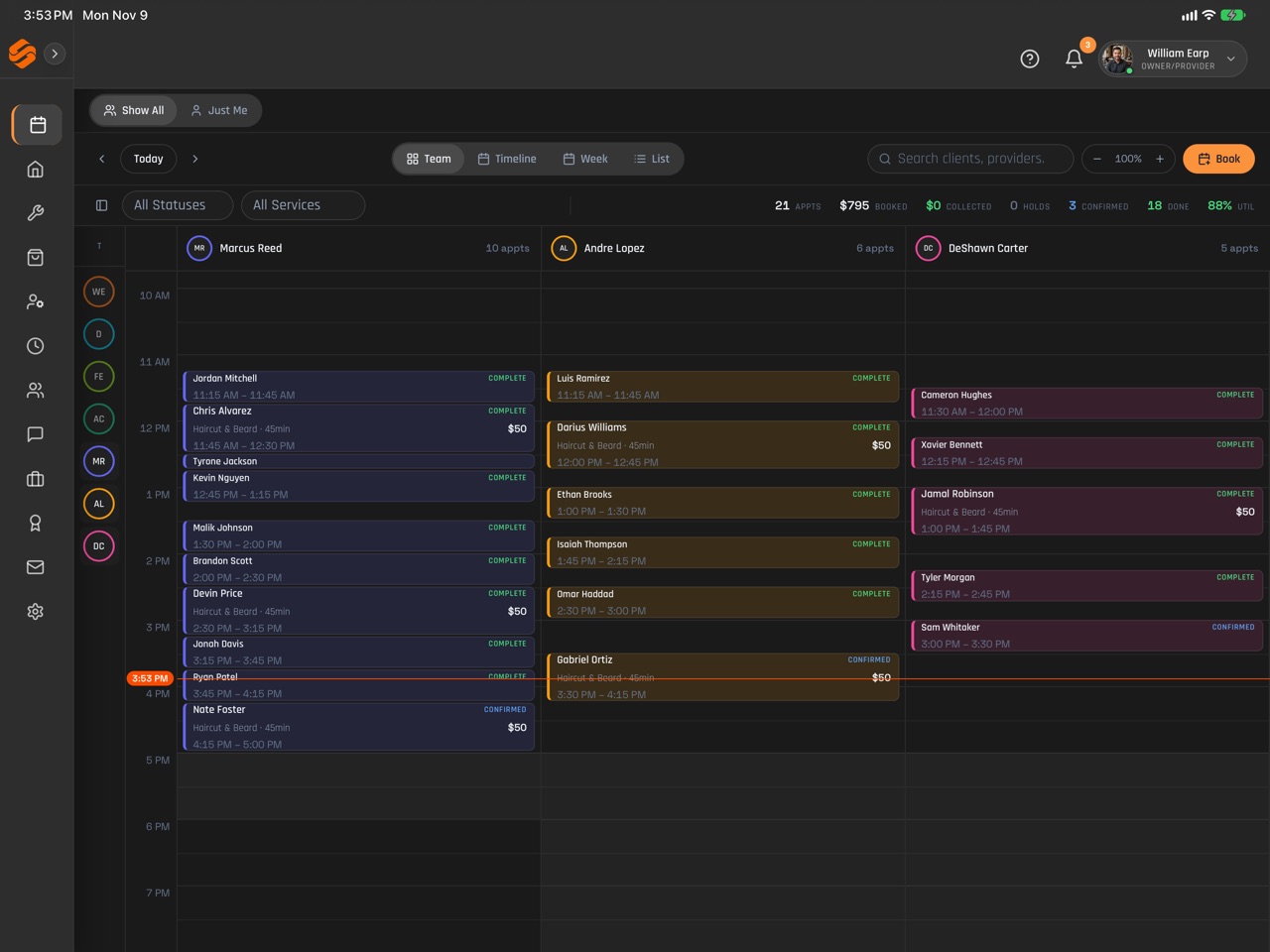
The SHIFT team calendar for a three-barber shop

Made for the chair, not the front desk.

Four tools that win back your time and money.

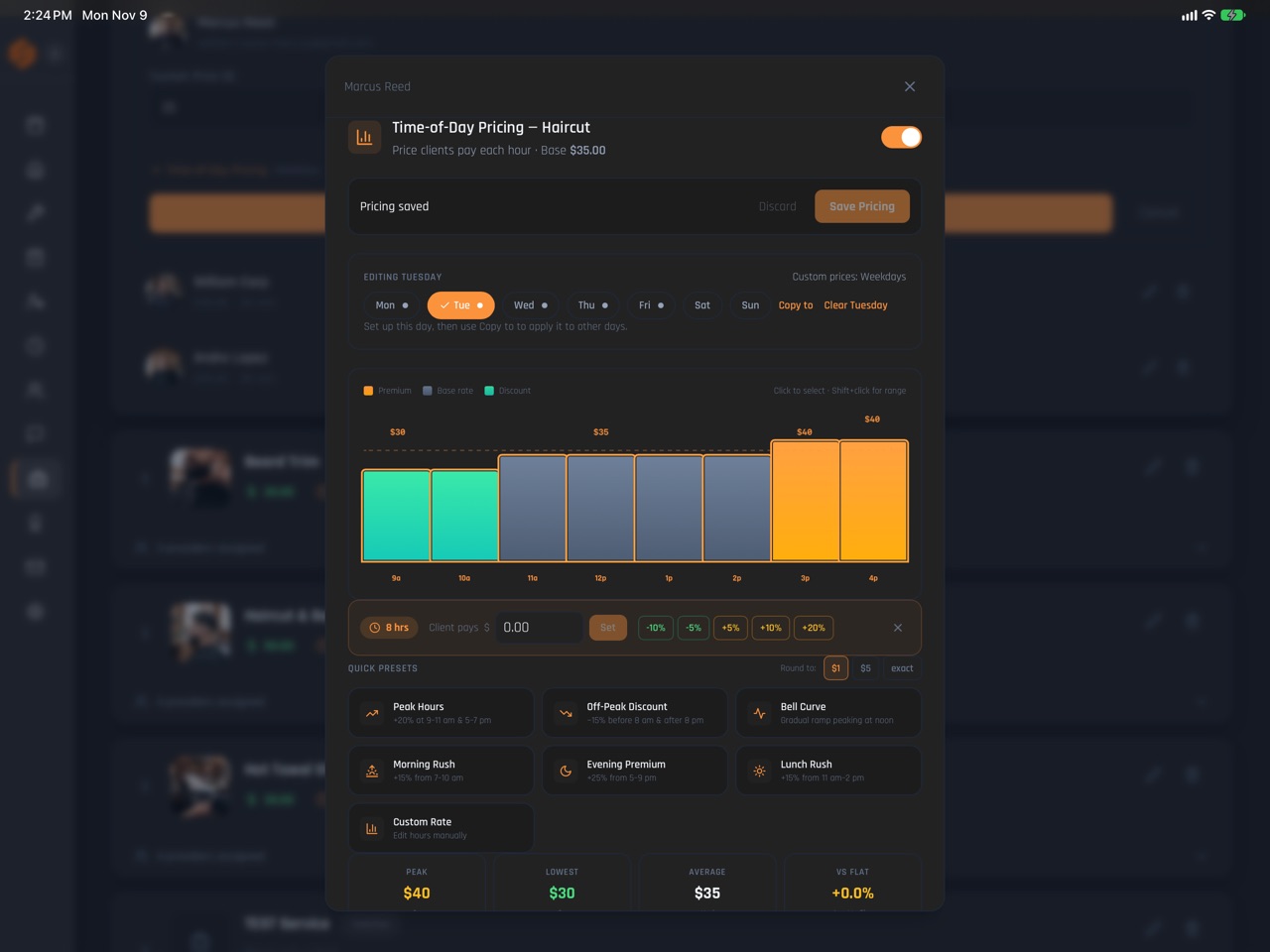
Time-of-day pricing

Charge more for the hours that cost you more.

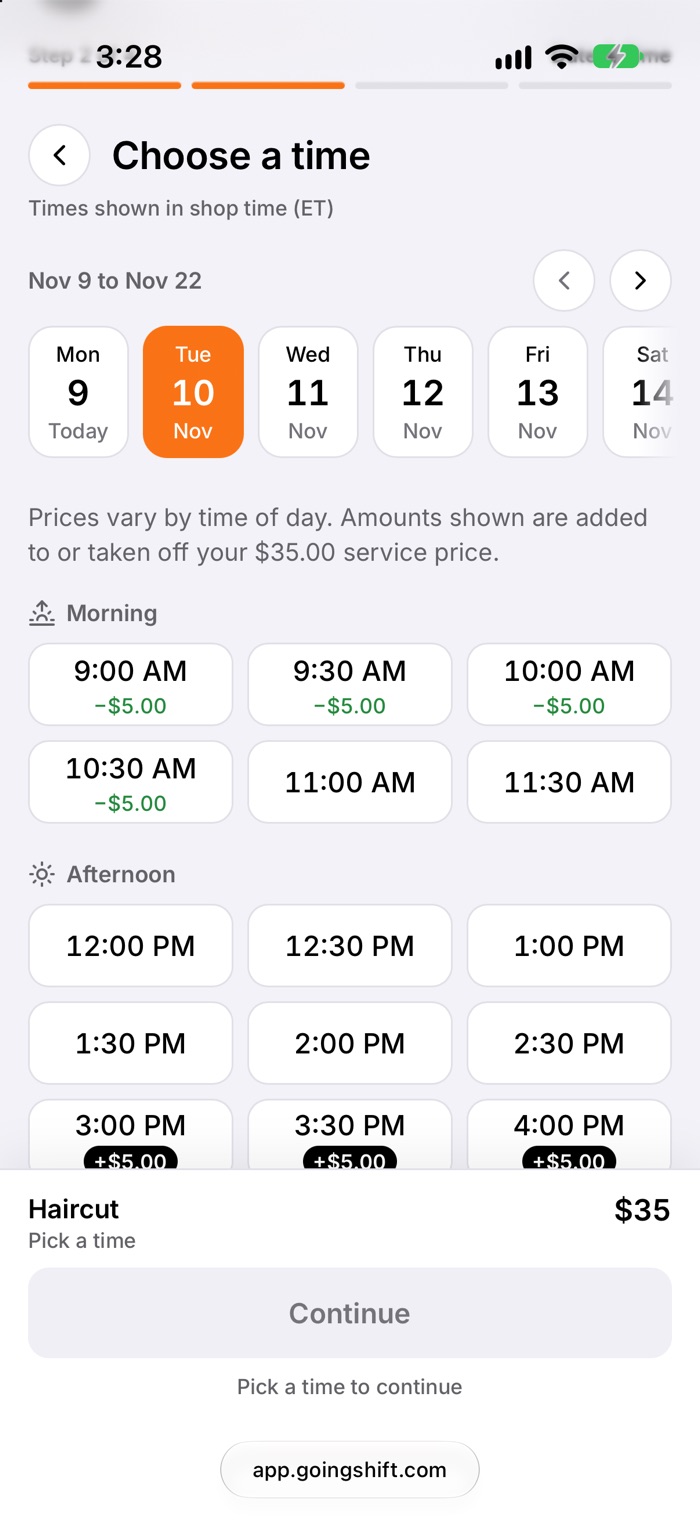
Put your own price on every hour: less for a slow morning, more for 7am or after close. Clients see the price on each time when they book. You pick every number.

Elite
Setting time-of-day prices for a haircut in SHIFT
A client picking a time, with the price on each slot

Waitlist

Stop telling clients you're full.

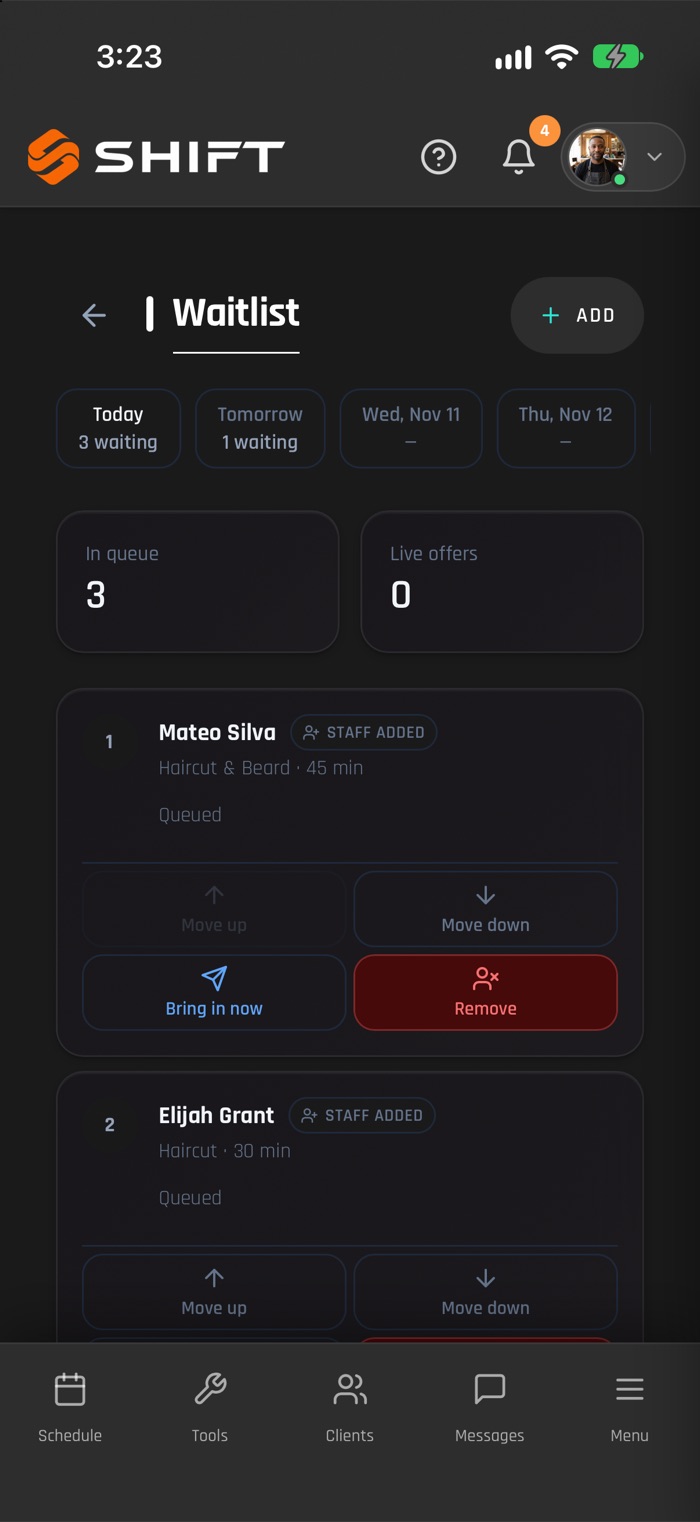
Booked out? Send your waitlist link. Clients tell you the day and time that works, and you bring them in when a spot opens, even outside your hours.

Elite
The SHIFT waitlist with today's queue

Running Late

Running behind? Tell everyone in one tap.

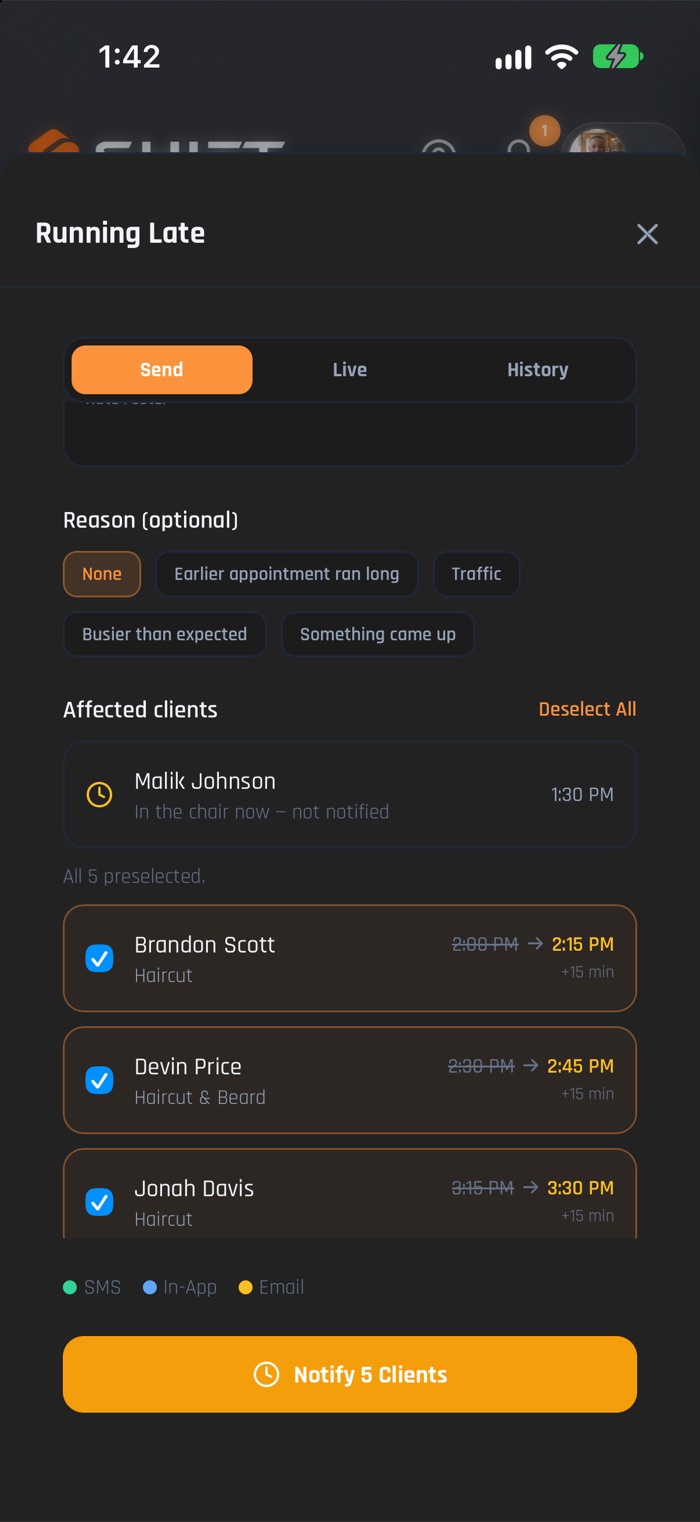
Pick how late you are. SHIFT finds every client after you, shows their new times, and lets them all know at once.

Elite
Running Late in SHIFT with five clients selected and their new times

Walk-ins

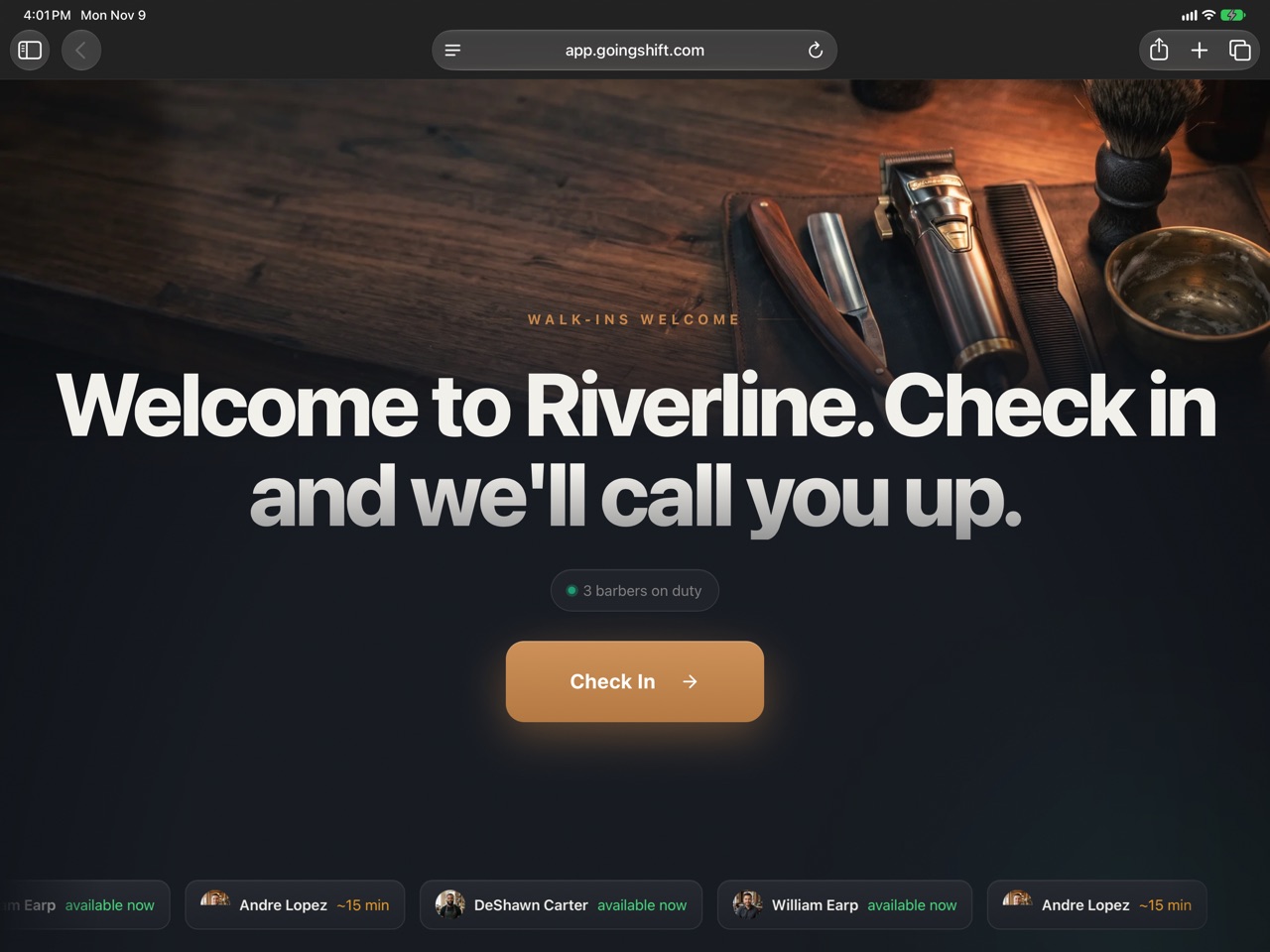
Walk-ins check themselves in.

Put an iPad at the front counter. Walk-ins add their name, see who's on duty, and you call them up.

Elite
The SHIFT walk-in check-in screen on an iPad at the front counter

Booking

Clients book themselves, any time, from your link.

  • Your own booking link, open 24/7Pro and Elite
  • Clients book without making an accountPro and Elite
  • Clients pick the barber, service, extras and timePro and Elite
  • Book a group of up to 5 at oncePro and Elite
  • Clients cancel or move their appointment from their confirmation emailPro and Elite
  • Your logo, cover photo and brand color on your booking pagePro and Elite
  • A Book button on your Google listingYou connect GooglePro and Elite
  • Add appointments for clients yourselfPro and Elite
  • Waitlist: clients get offered the spot when someone cancelsYou turn it onElite
  • Walk-in list with iPad check-inYou turn it onElite
  • Book a client in and email them a link to pay aheadNeeds Pay now onElite
  • Charge more at busy hours or daysElite
More about booking
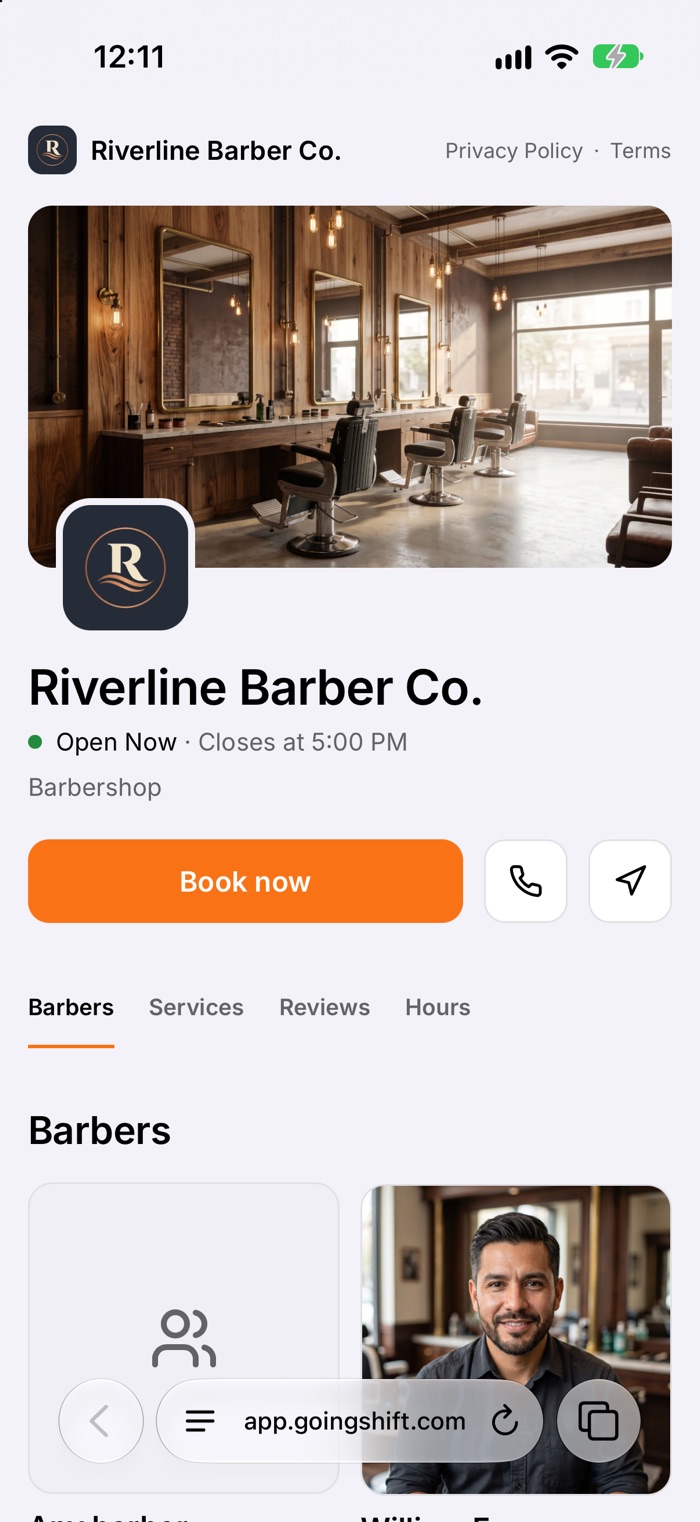
A shop's SHIFT booking page
Your booking page. Clients tap Book now.
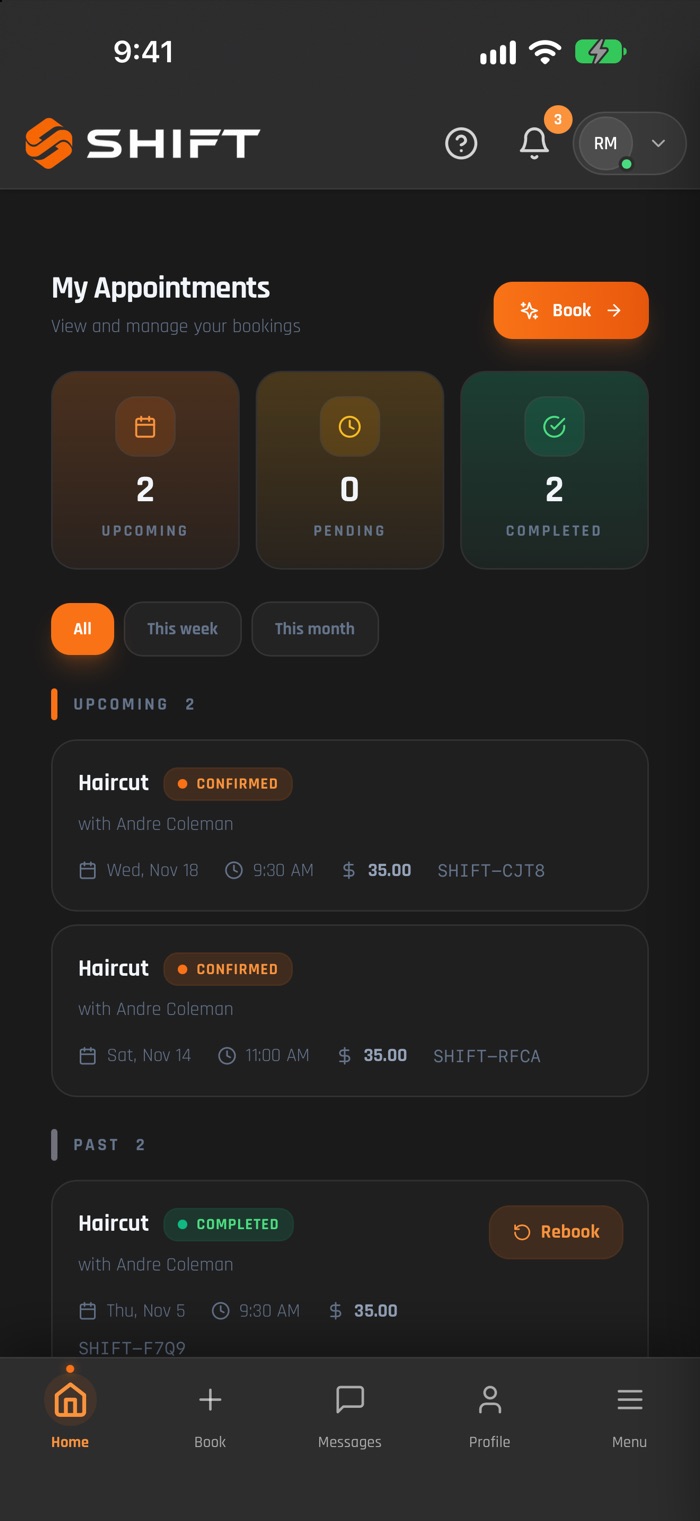
A client's SHIFT app showing their upcoming and past visits
What your clients see: their visits, and Rebook in one tap.

Calendar

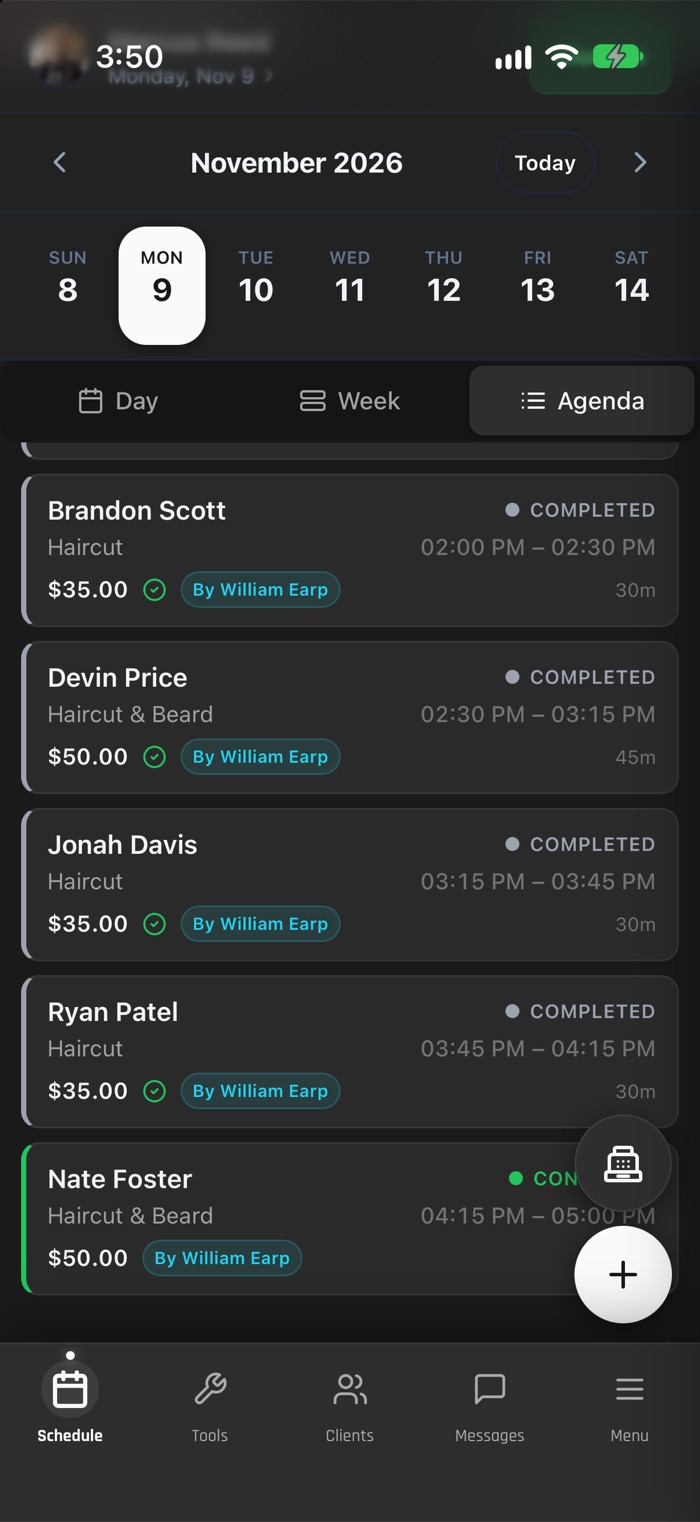
Your day, your team's day, and no double-booking.

  • Day and week viewsPro and Elite
  • Team view of every barber's dayPro and Elite
  • Move appointments by dragging them on a computerPro and Elite
  • Repeat appointments every 1 to 8 weeksPro and Elite
  • You can't be double-bookedPro and Elite
  • Block off timePro and Elite
  • Running late? One tap lets the clients after you knowElite
More about calendar

Getting paid

Card, cash or a pay link, and the money goes to your bank.

Payments start once you finish Stripe setup in the app.

  • Clients save a card when they book, and it's charged when the cut is donePro and Elite
  • Take payment when clients book: card, Apple Pay or Google PayYou turn it onPro and Elite
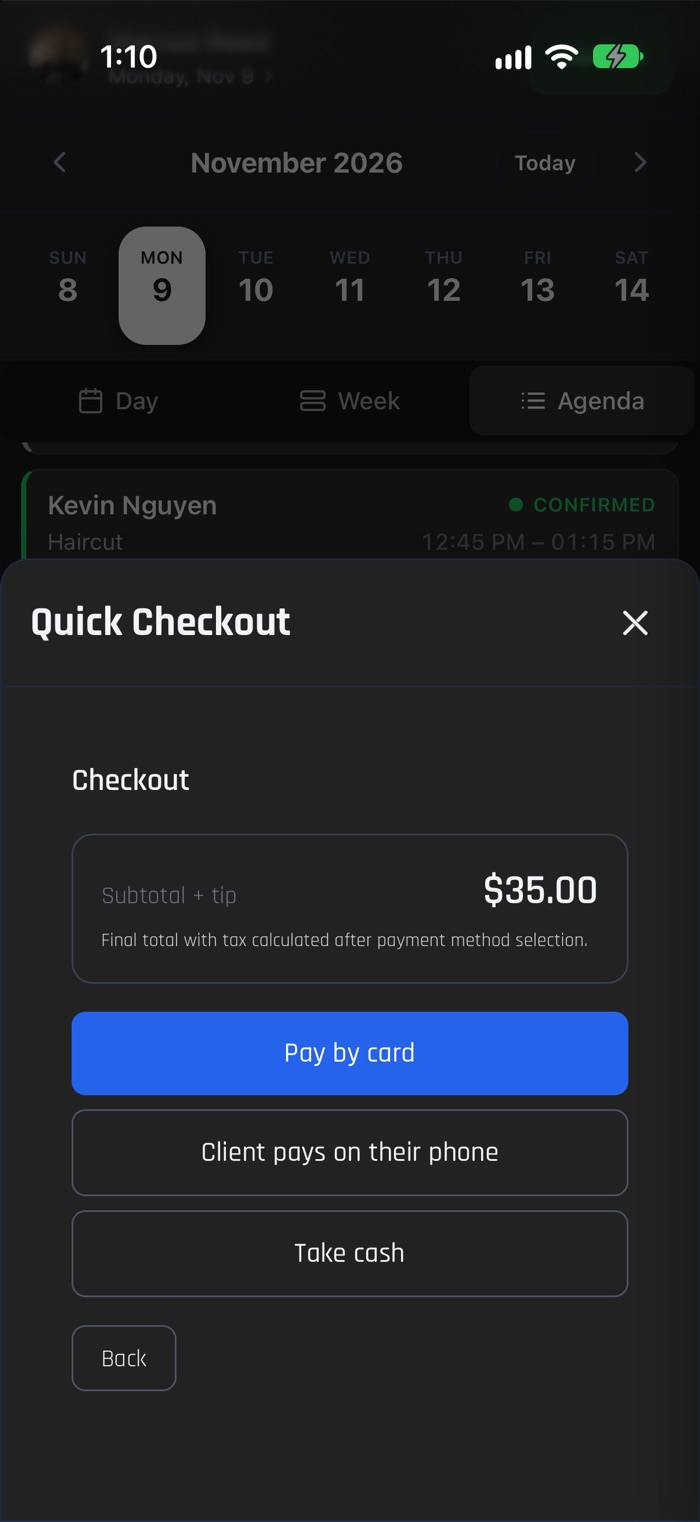
  • Check out at the chair: card, cash, or text the client a link to payPro and Elite
  • Works with Stripe card readers at the front deskReader sold separatelyPro and Elite
  • Tips with preset buttonsPro and Elite
  • No-show and late-cancel feesYou turn it onPro and Elite
  • Cash drawer: pay in, pay out, close outPro and Elite
  • Get paid out to your bankPro and Elite
  • Sell products in the shop and on your booking pageElite
  • Give clients gift cardsElite
More about getting paid
SHIFT Quick Checkout: card, client's phone or cash
Card, their phone, or cash.

Clients

Every client's history in one place.

  • Client list: visits, total spent, last visitPro and Elite
  • Client profile: history, notes, favorite barber, when they're due backPro and Elite
  • Bring your clients over from Square, Booksy, Fresha, Mindbody, GlossGenius or AcuityPro and Elite
  • Forms and waivers before the visitElite
  • Email clients when they're due for a cutYou turn it onElite
  • Email campaigns to your clientsElite
  • Loyalty points and rewardsYou set the rewardsElite
  • Refer a FriendElite
  • Comeback bonus for clients who drifted awayYou pick the gapElite
  • Punch card: points per visitElite
More about clients

Messages and reviews

Clients get their texts on their own, and you see every review.

  • A confirmation text, and a reminder text 2 hours beforePro and Elite
  • Message your team and your clients in the SHIFT app, with photos and voice notesPro and Elite
  • Notifications on your phonePro and Elite
  • Email every client for a review after their visitYou turn it onPro and Elite
  • See and reply to your Google reviewsYou connect GooglePro and Elite
More about messages and reviews
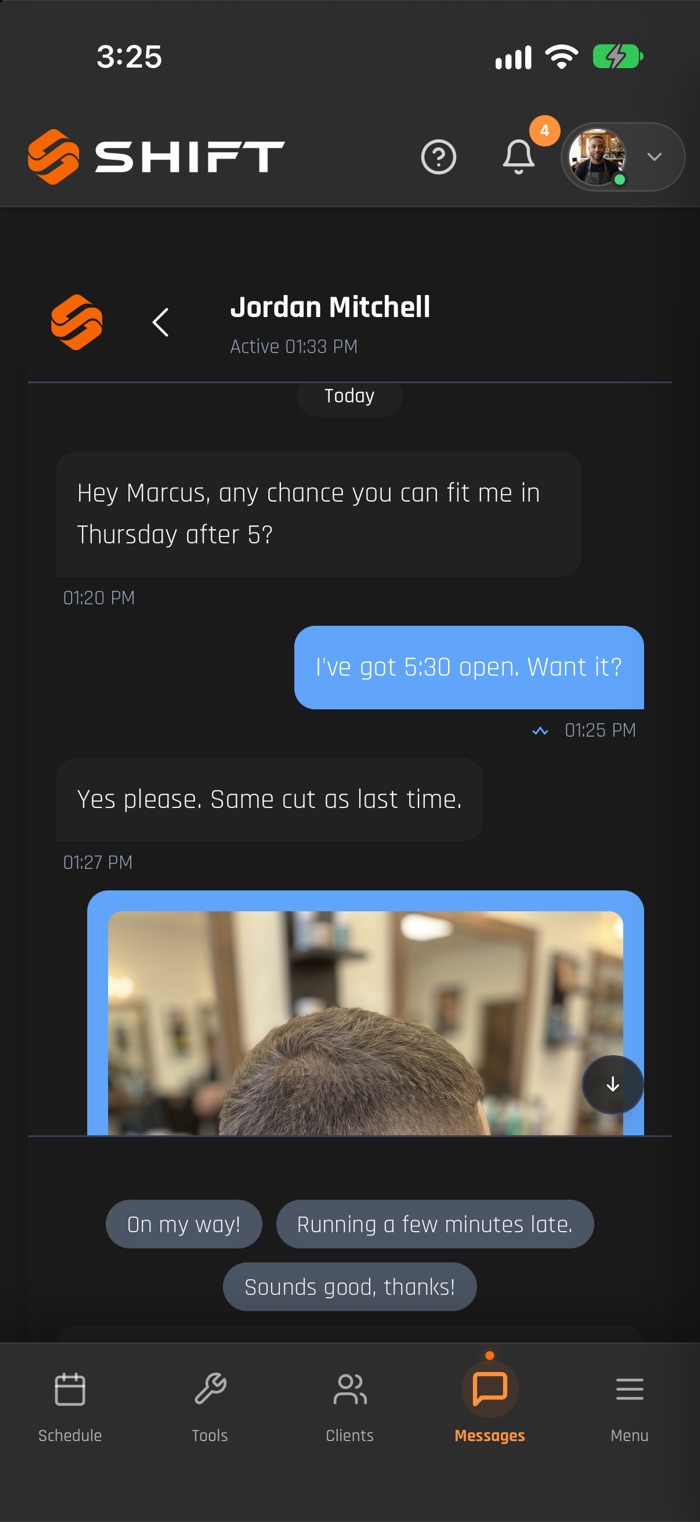
A text conversation with a client in SHIFT
Message your clients from the app.
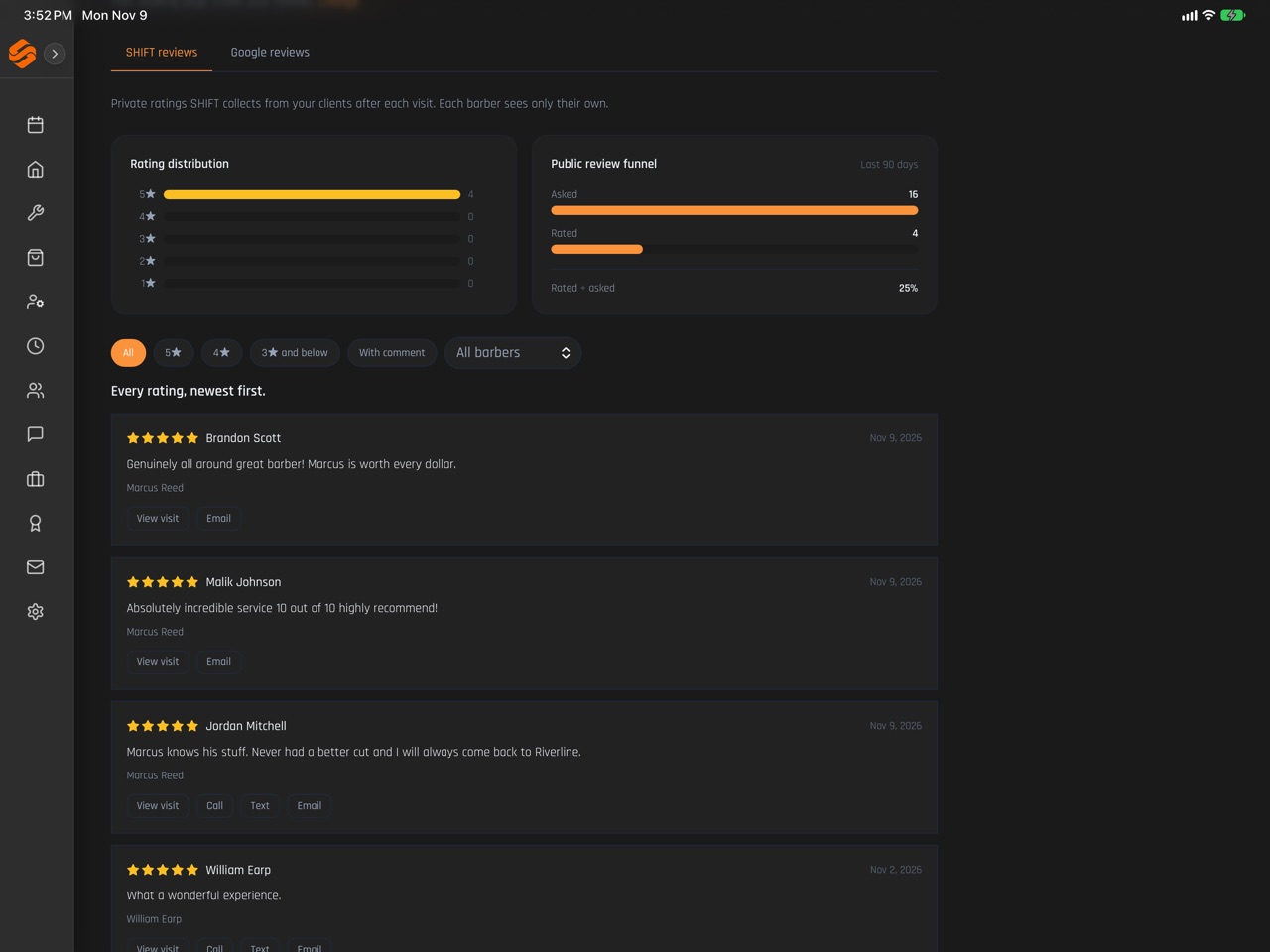
SHIFT reviews with a 5.0 rating
Every rating in one place.

Your team

Logins, permissions and sales for every barber.

  • Each barber gets their own login, schedule and servicesPro and Elite
  • Choose what each person can see and doPro and Elite
  • Each barber's sales and how booked they arePro and Elite
  • Each barber gets paid to their own bankPro and Elite
  • Booth rent and commission, collected for youElite
  • Timesheets: clock in and out, approve hoursElite
More about your team
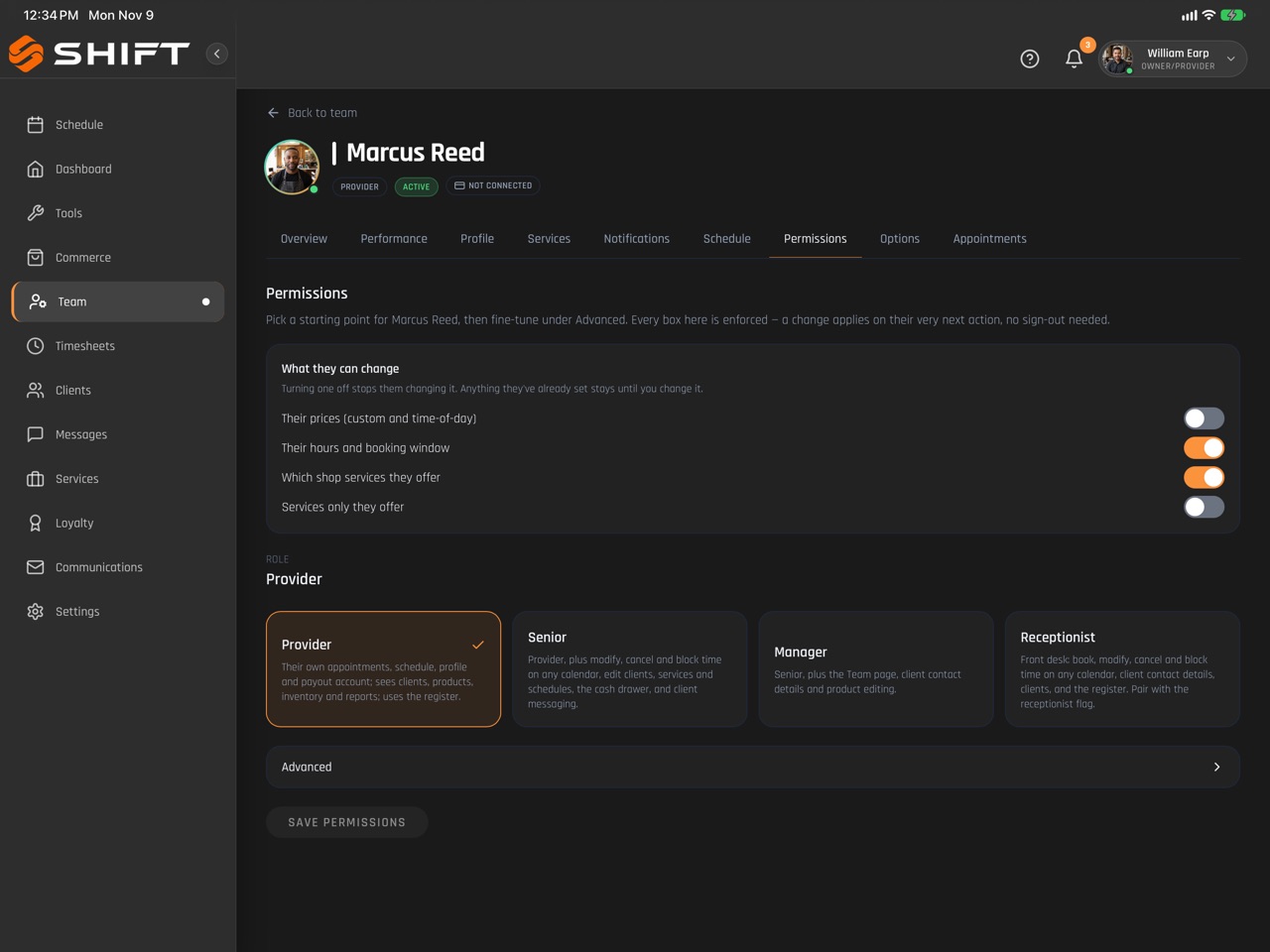
Setting a barber's permissions in SHIFT
Choose what each barber can change.

Reports

See how the shop is doing.

  • Sales for today, the last 7 days and the last 30Pro and Elite
  • Monthly statements, a tax summary and spreadsheet downloadsPro and Elite
  • Deeper sales charts by barber and serviceElite

Switching is easy

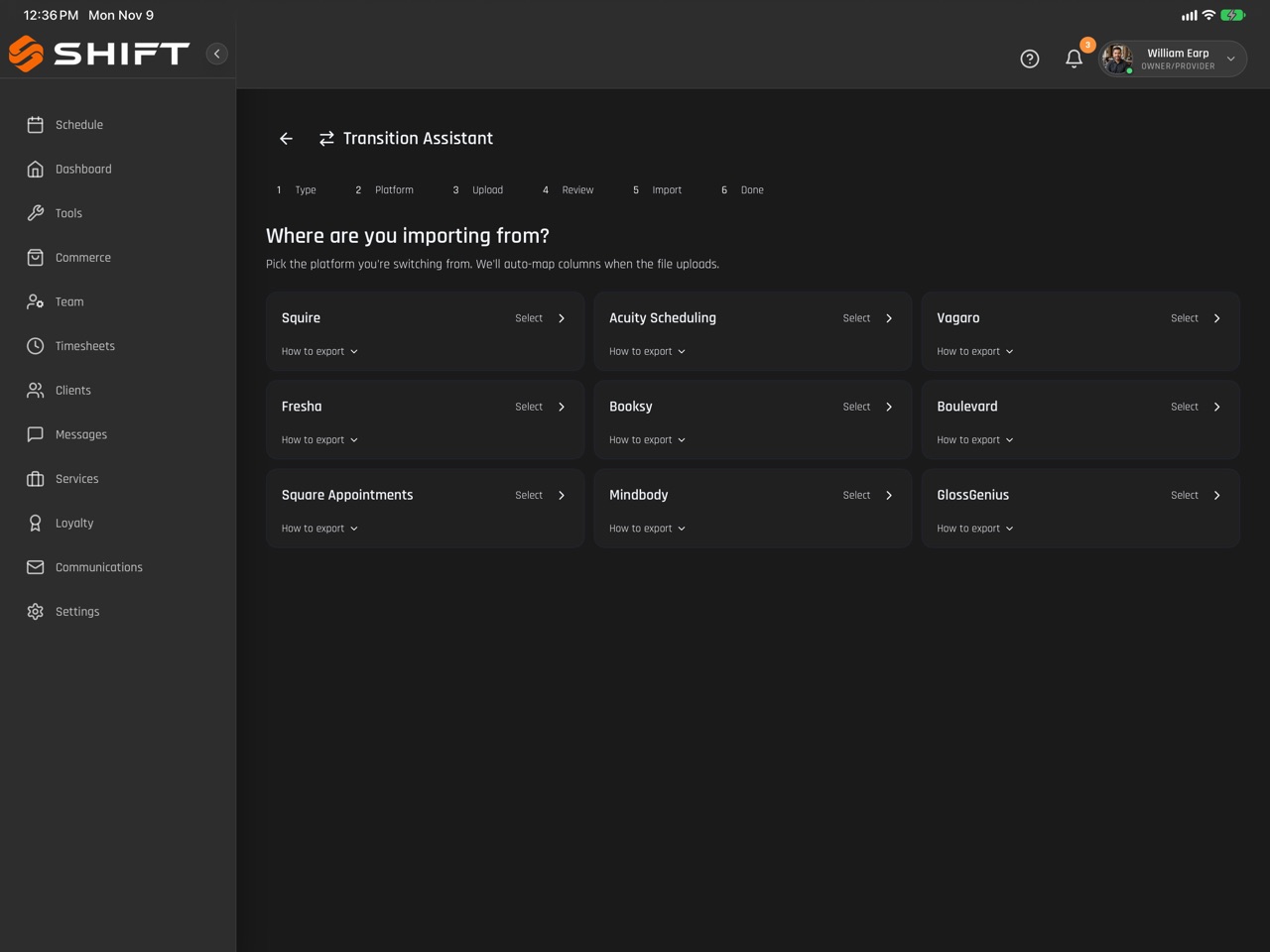
Bring your clients, services and team over from Squire, Square, Booksy, Vagaro, Fresha, Boulevard, Mindbody, GlossGenius or Acuity.

SHIFT's Transition Assistant asking where you're importing from

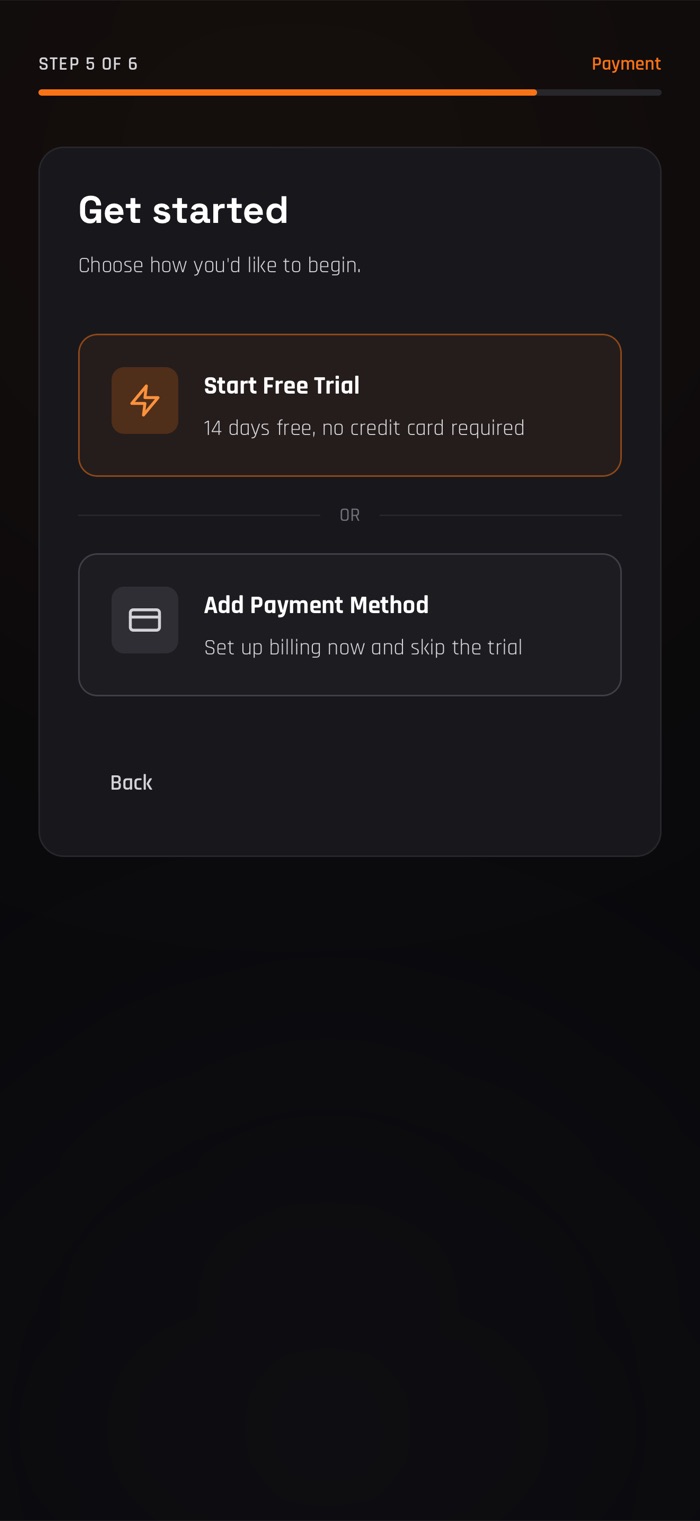
Try it free for 14 days

Try it free for 14 days. No card needed.

SHIFT's free trial signup step

Card payments cost 2.9% + 30¢ each, on every plan. Cash is free.

See how SHIFT works for your industry.

Help

We use cookies to improve your experience. Privacy Policy